

What can be reconciled?
Bank rules
Section titled “Bank rules”Otto will reconcile any bank rules you have set up as soon as he starts working in your practice. He isn’t able to fill in any details, such as the payee or any references, so will skip any rule he finds that requires information to be added at reconciliation time.
There is no way for Otto to make sure that the rule has been set up correctly, so please make sure any rules you create only match the transactions you want him to reconcile.
Transactions with a bill, invoice, expense claim, or transfer
Section titled “Transactions with a bill, invoice, expense claim, or transfer”With SmartMatch, Otto can reconcile a bank transaction against a possible match in Xero that is a:
- Bill
- Sales invoice
- Expense claim
- Bank transfer
He looks at these types of possible matches in Xero:
A single possible match
Section titled “A single possible match”
Otto compares the details from the bank statement and the Xero match to decide if they relate to the same transaction.
Multiple possible matches
Section titled “Multiple possible matches”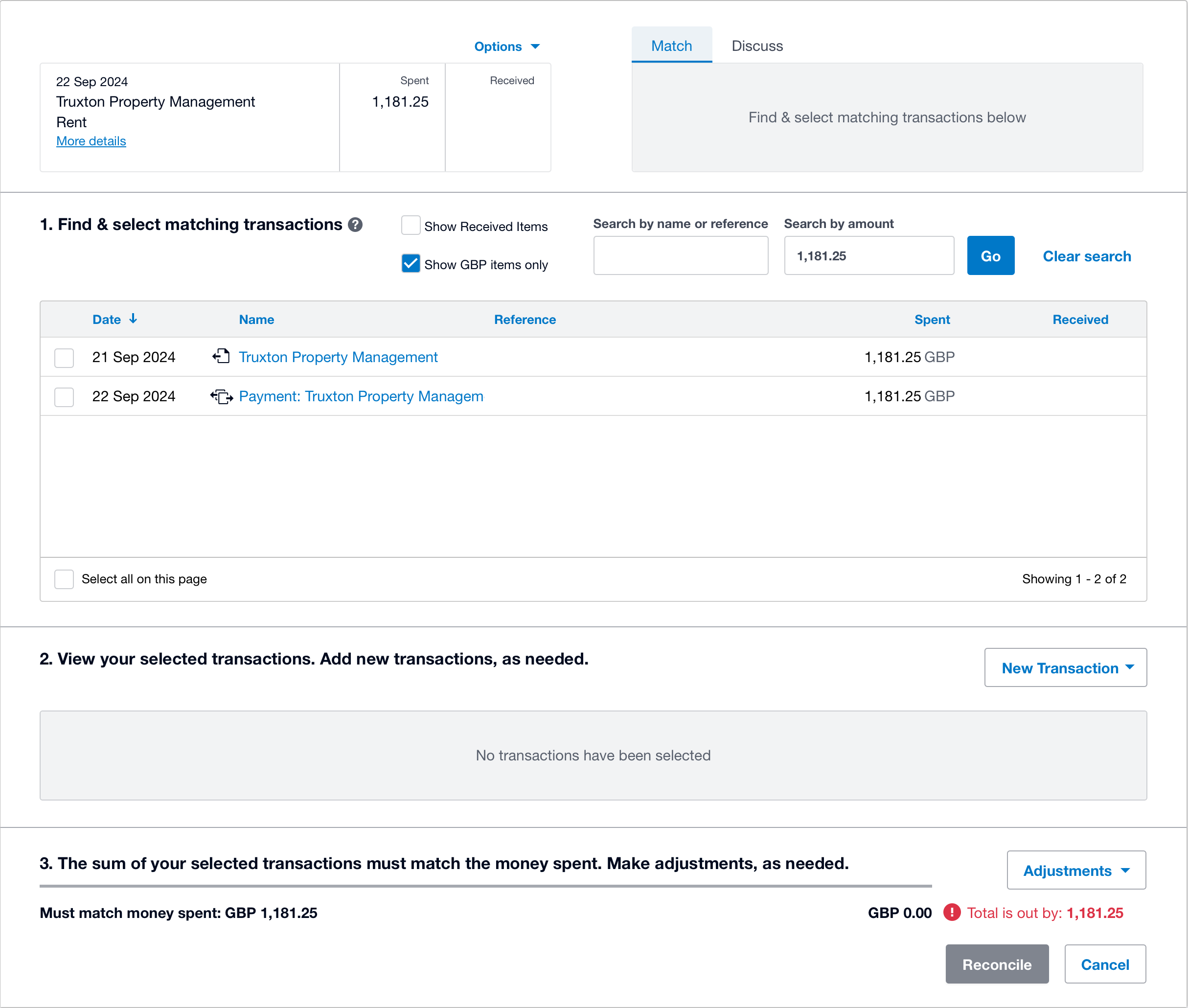
Otto compares the details from the bank statement to each of the possible matches and decides which is the best match. He doesn’t reconcile these himself: he leaves the transaction for you to check, with his best match shown in the portal. If it’s right, click “This is a match” and, where SmartMatch is enabled, he’ll reconcile it on his next run, free of charge.
What Otto skips
Section titled “What Otto skips”Otto leaves these for you to reconcile in Xero:
- Batch payments, where one payment covers several bills or invoices
- Overpayments
- Possible matches dated after the bank transaction
A bill or invoice can’t have been paid before it was issued, so Otto doesn’t consider a possible match dated after the bank transaction. If every possible match is dated after it, he skips the transaction.