

Importing from FreeAgent
Missing receipts in Otto Capture imports the bank transactions FreeAgent hasn’t explained yet straight from the client’s FreeAgent company, so you can ask the client about the ones you have no paperwork for. You choose a date range on the client’s Missing receipts tab and click Fetch transactions.
Access FreeAgent needs
Section titled “Access FreeAgent needs”A client added through a FreeAgent Practice connection needs nothing extra.
For a client connected as a single Company, the FreeAgent user who authorised the connection needs Banking access or higher in that company. Publishing needs only Bills access, so a client Otto publishes to without trouble can still be refused a fetch. The client stays connected when that happens, and publishing carries on as before.
To fix it, a FreeAgent user with Banking access or higher connects the same company again: on the Clients page, click Add client, choose I run my own business, and authorise the company. Capture tells you the company is already connected, keeps the client as it is, and uses the new user’s access from then on.
Fetching transactions
Section titled “Fetching transactions”-
On the client’s Missing receipts tab, check the Date range under Fetch bank transactions. It’s set to the last six months, ending today, and you can change either date.
-
Click Fetch transactions. A fetch can take up to about 20 seconds.
-
Capture stores what it read and tells you how many transactions it stored, from how many bank accounts, and for which dates. Stored transactions then shows when the client’s transactions were last fetched, and by whom.
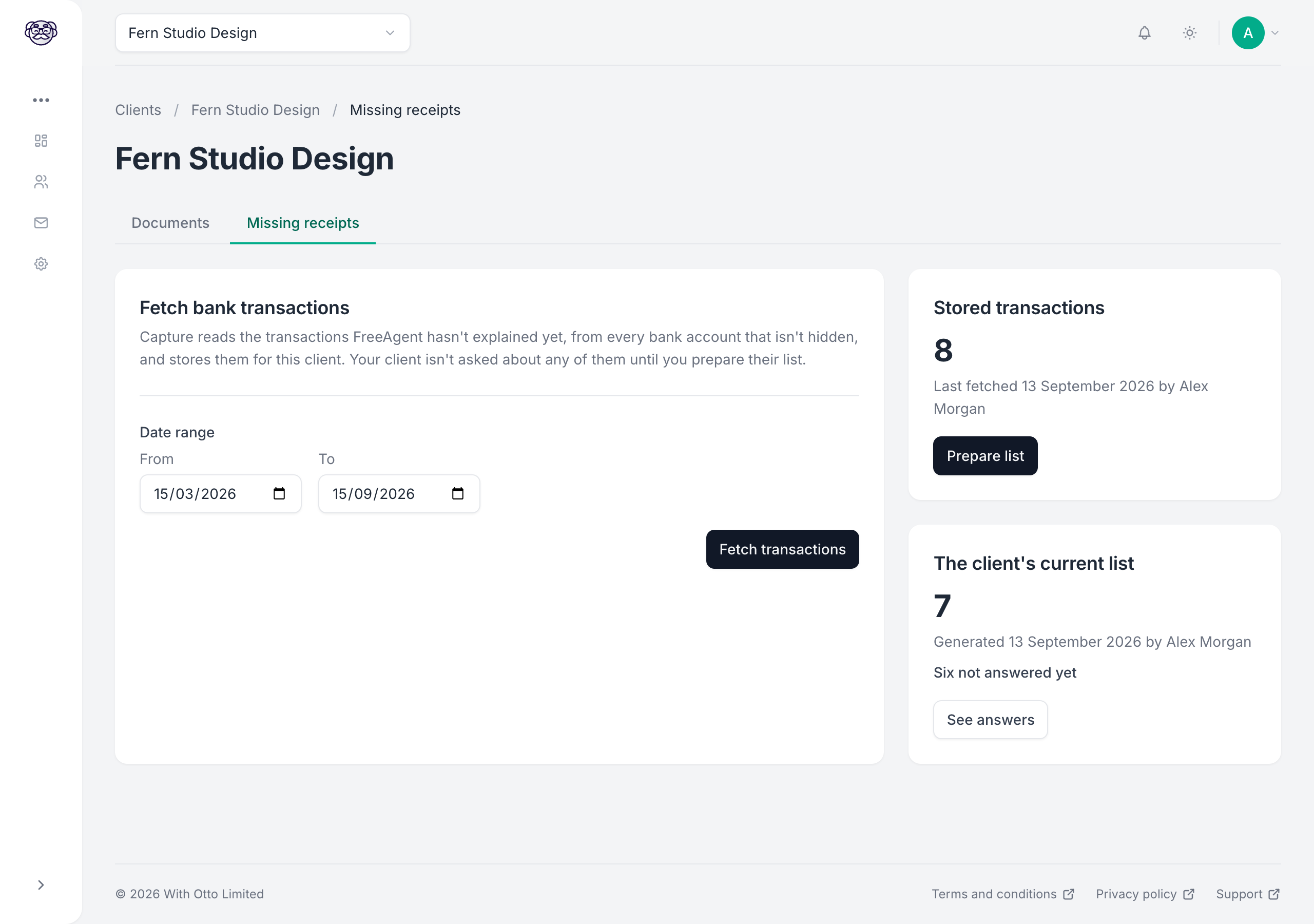
Capture stores the transactions straight away, and your client isn’t asked about any of them until you prepare their list.
What Capture fetches
Section titled “What Capture fetches”Capture reads every bank account in the company except hidden ones, credit card accounts included, and takes each transaction FreeAgent still shows as unexplained within the date range. A transaction that’s only partly explained comes across at its full amount, because that’s the payment the client will see on their statement. Descriptions come across exactly as FreeAgent shows them, so the client can find each one in their own records.
Fetching again
Section titled “Fetching again”Fetch again whenever you want to bring the list up to date. Each fetch replaces the transactions you prepare the list from. A transaction explained in FreeAgent since the last fetch isn’t in the new one, so the client isn’t asked about it once you update their list. Anything you’ve excluded stays excluded, and anything the client has answered keeps its answer.
When a fetch stores nothing
Section titled “When a fetch stores nothing”A fetch stores everything it read, or nothing at all. A partial read would make the transactions it missed look explained, so Capture stops rather than store part of the list. The message says why:
| Message | What to do |
|---|---|
| FreeAgent didn’t let Capture read this client’s bank accounts | Have a FreeAgent user with Banking access or higher connect the company again. See Access FreeAgent needs |
| There were too many transactions in that date range to fetch at once | Choose a shorter date range, then fetch again |
| FreeAgent’s transactions for this client changed while Capture was reading them | Someone was working on the client’s bank transactions during the fetch. Fetch again |
| Capture is already fetching this client’s transactions from FreeAgent | A fetch for this client is already running. Wait a few minutes, then try again |
| We couldn’t reach FreeAgent to fetch this client’s transactions | Try again in a few minutes |
| Capture has lost its connection to FreeAgent for this client | Reconnect the client, then fetch again |
A message saying something went wrong on our side means we’ve been notified. If it keeps happening, please contact support.