

Configuring clients
Each client in Capture represents a single accounting platform organisation. After connecting your accounting platform, you can configure how documents are processed and published for that client.
Email prefix
Section titled “Email prefix”Each client has a unique email address for receiving documents by email. You set the prefix here in General, and the finished address is shown on the Client Submission tab alongside the client’s other submission routes. The address follows the format:
{prefix}@{your-organisation}.ottocapture.emailFor example, if your organisation is “smith-accounting” and you set the prefix to “acme”, the email address would be acme@smith-accounting.ottocapture.email.
Email prefixes:
- Must start with a letter or number
- Can contain lowercase letters, numbers, hyphens, dots, and underscores
- Must be unique within your organisation
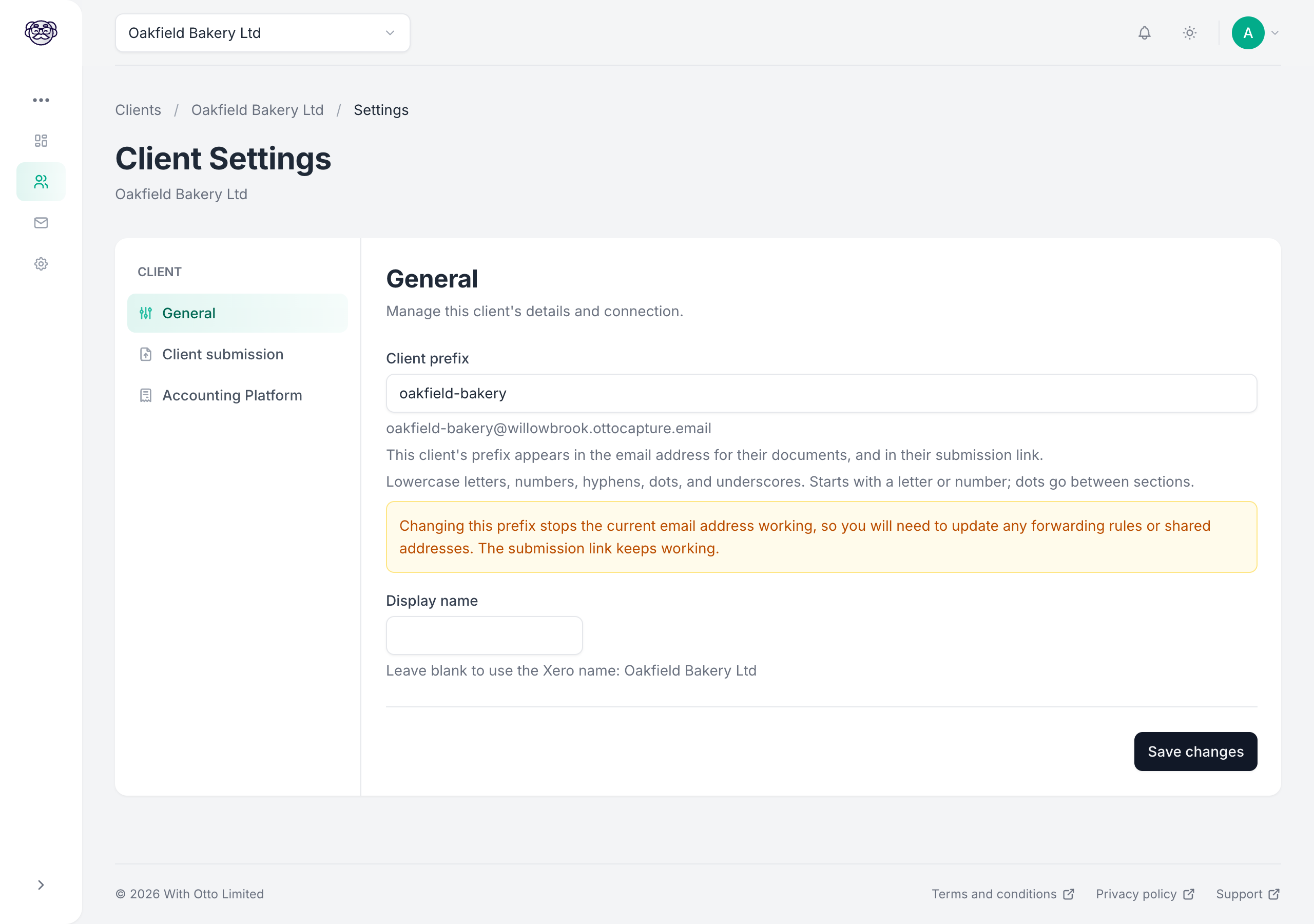
The prefix also forms part of the address of the client submission page for this client. Changing it doesn’t break a link you’ve already shared: the page redirects to the new address on its own.
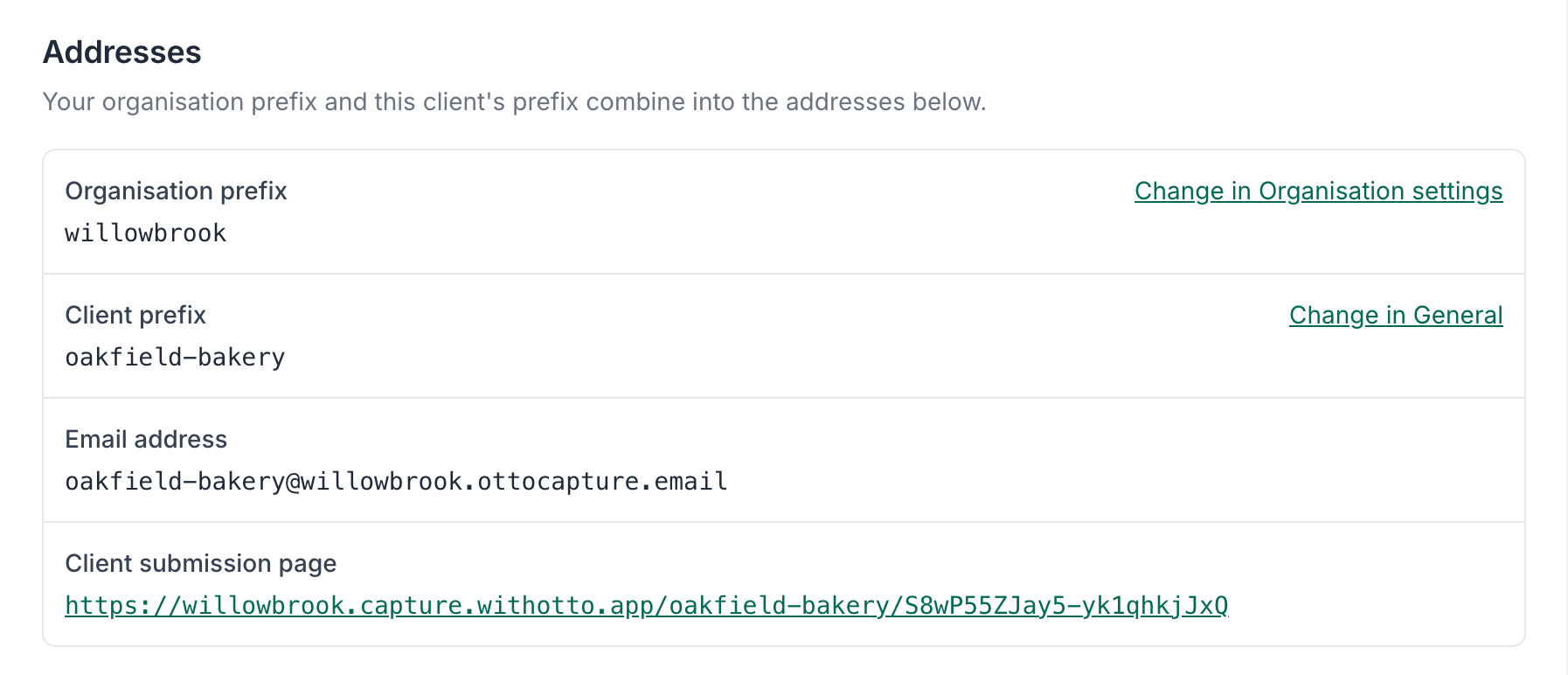
The Client Submission tab lists both prefixes and the addresses they produce, with a link through to wherever each prefix is edited.
Default publish state
Section titled “Default publish state”On platforms that support settable publish states, you choose the state Otto creates new bills and sales invoices in, and you can override it for a single document during review. Today that’s Xero, which has three states: Draft, Awaiting approval, and Awaiting payment. See Xero publish states for what each one means. If you’re not sure which to choose, start with Draft: you can change it later, and it gives you the most control before anything is sent or paid.
Synced accounting data
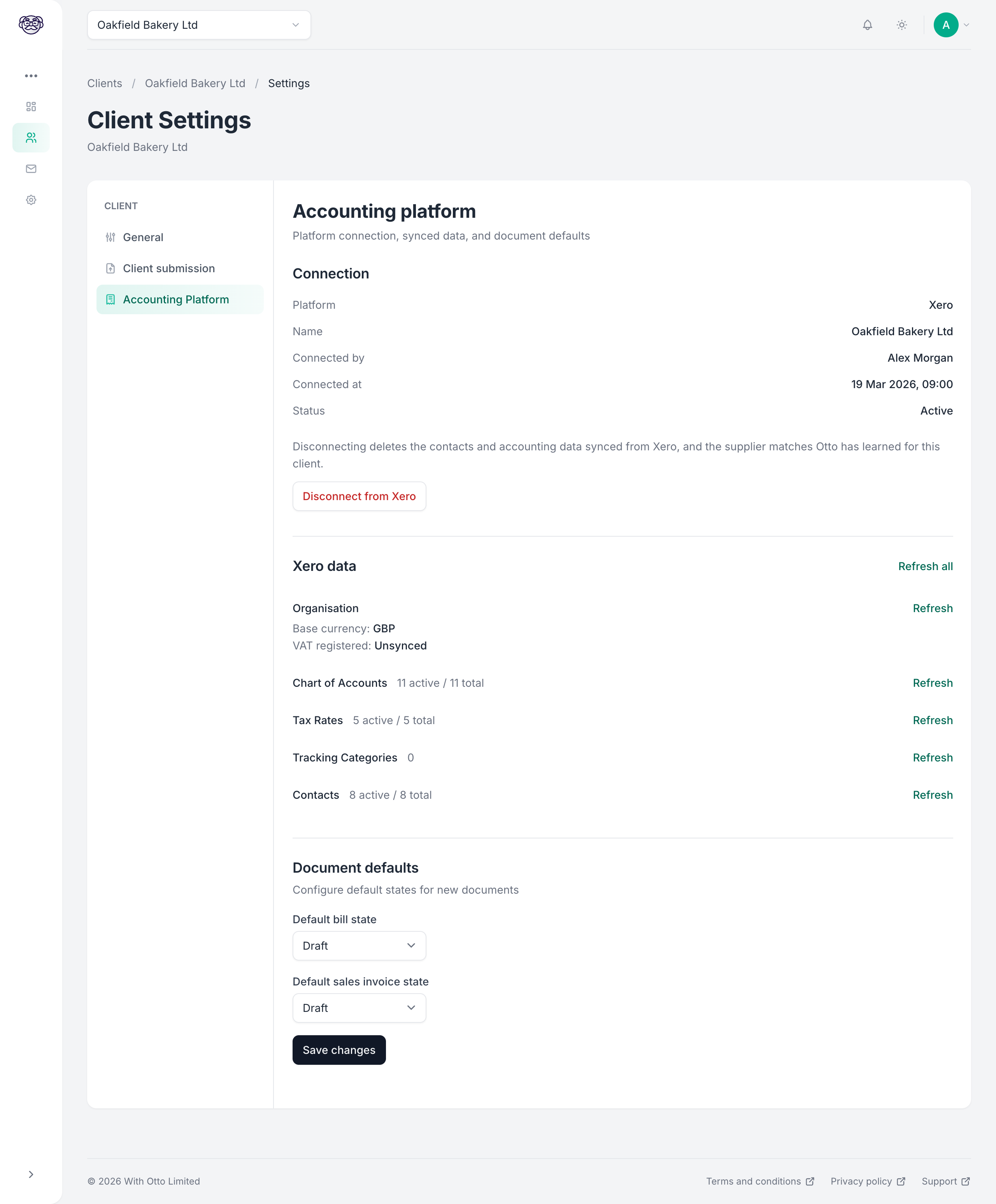
Section titled “Synced accounting data”Capture syncs the following from your client’s accounting platform. This data is used during extraction and review to ensure documents are published with valid accounting data.
Account codes
Section titled “Account codes”The list of accounts you code line items to is synced from your accounting platform: Xero and QuickBooks Online call it the chart of accounts, FreeAgent calls them categories. During extraction, Otto suggests account codes (nominal codes on FreeAgent) based on the document content. On a bill from a supplier whose bills you’ve published for this client before, he also draws on how you coded them. During review, you can change the code from a list of valid accounts. See Xero, FreeAgent, and QuickBooks Online for the exact terms.
Accounts are filtered by type based on the document:
- Bills show expense, asset, liability, and equity accounts (on FreeAgent, the admin expenses and cost of sales categories)
- Sales invoices show revenue accounts
Tax rates
Section titled “Tax rates”Tax rates are synced from your accounting platform and applied to line items. Otto suggests tax rates during extraction, and you can adjust them during review. Tax rates are filtered to show only those applicable to the document type.
Currencies
Section titled “Currencies”If your client’s accounting platform supports multiple currencies, Capture syncs the available currencies. Otto detects the document currency during extraction.
Tracking categories
Section titled “Tracking categories”Tracking categories apply to platforms that support them. Xero tracking categories and their options are synced, and you can assign them to line items during review. QuickBooks Online’s equivalent is classes, which are synced where the company tracks classes on each line. FreeAgent has no tracking categories. See Xero tracking categories and QuickBooks Online classes.
Refreshing synced data
Section titled “Refreshing synced data”If you’ve made changes in your accounting platform (added new accounts, updated tax rates, etc.), you can trigger a manual sync from the client configuration page. You can sync individual data types, or all of them.